3D Printing Models: How to Create, Prepare and Print 3D Models
Learn how 3D printing models are created, prepared and converted into physical parts. Discover file formats, design requirements, common mistakes and professional 3D printing options.
Share Article
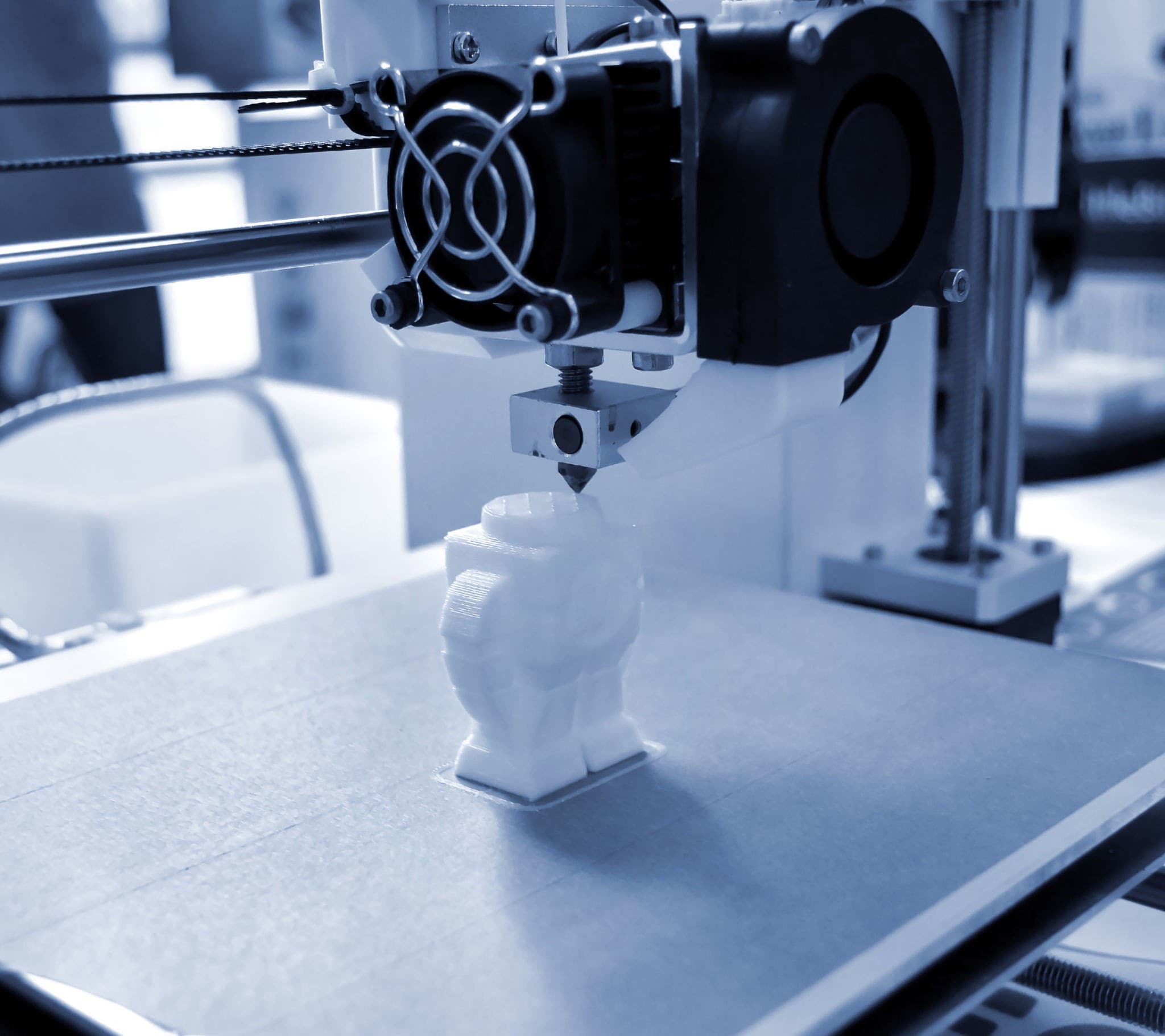
A 3D printing model is the digital design that a 3D printer uses to create a physical object layer by layer.
That model might be a simple prototype, a mechanical component, an architectural model, a replacement part, or a custom product.
The important thing is that not every 3D model is automatically ready for 3D printing.
A model may look perfect on screen but still have problems such as incorrect scale, open surfaces, unsupported geometry, very thin walls or features that are too small to print reliably.
At 3Dit, 3D CAD design and 3D printing are closely connected. A customer can provide an existing model for printing, or the model can be developed and prepared for manufacturing based on the project requirements. 3Dit currently supports formats including STEP, IGES, STL, 3MF, OBJ and other CAD formats.
What are 3D printing models?
A 3D printing model is a digital representation of the object you want to manufacture.
Common file formats include:
- STL
- 3MF
- OBJ
- STEP
- IGES
STL is widely used for mesh-based 3D printing, while formats such as STEP and IGES can preserve more useful engineering/CAD information for design and manufacturing workflows.
A typical workflow looks like:
Idea → 3D model → export → slicing → printing → finished part
Modern 3D-printing guides commonly describe this same basic sequence and emphasize that the model must be suitable for the printing process before it is sent to the printer.
Where do 3D printing models come from?
There are three common ways to obtain a model.
1. Create the model yourself
You can design a part using CAD or 3D modeling software.
This is useful when you need:
- custom dimensions
- engineering parts
- product prototypes
- enclosures
- brackets
- functional components
For engineering applications, parametric CAD is particularly useful because dimensions and features can be edited before manufacturing.
3Dit's CAD service is designed to turn sketches, drawings, photographs and physical references into production-ready CAD files.
2. Download an existing 3D printable model
There are many online repositories containing downloadable 3D models.
Some focus on free files, while others sell models.
Platforms such as Cults contain large collections of downloadable STL and other printable files.
But downloading a model does not necessarily mean you can immediately print it.
Before printing, check:
- scale
- file integrity
- wall thickness
- orientation
- support requirements
- material requirements
- licensing restrictions
- whether the model was actually designed for your intended use
3. Have a model designed for you
This is often the better option when the object needs to meet specific dimensions or functional requirements.
For example, you may have:
- a hand sketch
- an existing physical component
- a damaged part
- a photograph
- a technical drawing
- a concept without a digital model
In these situations, a professional CAD workflow can turn the reference into a model suitable for manufacturing.
3Dit's current CAD workflow accepts references such as sketches, photographs, physical samples, measurements and manufacturing requirements.
What makes a model ready for 3D printing?
A visually attractive 3D model isn't necessarily a good printing model.
A print-ready model should generally have the correct:
Scale The dimensions need to match the intended physical object. A small scale error can be harmless for a decorative model but disastrous for a mechanical component.
Geometry The model needs printable geometry appropriate for the selected process.
Wall thickness Extremely thin walls may fail or produce weak sections.
Closed geometry Mesh models should generally be properly closed rather than containing unintended holes or open surfaces.
Support strategy Some geometries require support structures depending on the printing technology and orientation.
Tolerances For parts that must fit together, dimensional allowances should be designed into the model.
3Dit's own FDM guidance, for example, identifies minimum wall-thickness considerations, support requirements and limitations on very fine details.
STL vs STEP vs 3MF: Which file should you use?
There isn't one universally best file format.
It depends on what you need to do.
| Format | Best suited for | |--------|-----------------| | STL | General mesh-based 3D printing | | 3MF | Modern 3D-printing workflows and richer print data | | OBJ | Meshes with additional visual/material information | | STEP | Engineering CAD and editable manufacturing workflows | | IGES | CAD data exchange between engineering systems |
For a simple decorative print, STL may be perfectly adequate.
For an engineering component that may need dimensional changes, STEP or another editable CAD format can be much more useful before producing the final print.
3Dit currently lists STEP, IGES, STL, 3MF and OBJ among its supported formats.
What types of 3D printing models can you make?
3D printing models can represent almost any geometry that can be manufactured by the selected technology.
Common examples include:
Product prototypes Useful for checking:
- size
- shape
- ergonomics
- fit
- appearance
Functional mechanical parts Examples include:
- brackets
- housings
- covers
- ducts
- replacement components
Architectural models 3D printing can be used for:
- building models
- masterplans
- presentation models
- interior models
Medical and anatomical models These can be used for:
- anatomical visualization
- research
- education
- surgical planning workflows
Jigs and fixtures 3D printed models can become functional manufacturing aids such as:
- drill guides
- positioning fixtures
- inspection aids
- assembly tools
Custom enclosures You can create models around:
- electronics
- sensors
- control boards
- custom interfaces
These applications correspond closely with the application categories currently presented by 3Dit.
Can you 3D print any model?
No.
This is one of the biggest misunderstandings about 3D printing.
A model can be technically correct as a digital object but still be difficult or impossible to manufacture reliably.
Common problems include:
- walls that are too thin
- unsupported overhangs
- very small features
- incorrect mesh geometry
- trapped internal structures
- insufficient clearance between moving parts
- incorrect dimensions
- inappropriate orientation
Some problems can be corrected by modifying the design before printing.
Others may require a different material or printing technology.
Common mistakes in 3D printing models
1. Designing only for appearance
A model may look excellent but have weak geometry.
For a functional component, think about:
- loads
- fastening
- heat
- wear
- movement
- tolerances
2. Ignoring the printing process
A model designed for FDM may need different geometry from one intended for resin or another process.
3Dit's 3D printing services currently cover FDM in-house while also offering access to other technologies through its partner network.
3. Using the wrong wall thickness
Thin walls can deform, break or fail to print properly.
4. Ignoring tolerances
Two parts that look identical on a screen may not fit together correctly once manufactured.
5. Choosing the material too late
Material selection can affect:
- wall thickness
- flexibility
- strength
- temperature resistance
- dimensional behavior
- surface finish
It is better to consider material requirements during design rather than after the model has already been completed.
How to prepare a 3D model for printing
A practical workflow is:
Step 1: Define the application Ask what the object actually needs to do. Is it:
- decorative?
- functional?
- structural?
- a prototype?
- a replacement part?
Step 2: Choose the manufacturing technology Different geometries and requirements can favor different printing processes.
Step 3: Create or modify the CAD model Build the geometry around the actual dimensions and functional requirements.
Step 4: Check the geometry Review:
- wall thickness
- holes
- overhangs
- clearances
- moving components
- unsupported sections
Step 5: Export the correct format Use the format appropriate for your workflow.
Step 6: Slice the model The slicer converts the model into instructions the printer can use.
Step 7: Review the print settings Check:
- orientation
- layer height
- infill
- supports
- material
- temperature
- print speed
Step 8: Print and evaluate For functional parts, the first print may be a prototype rather than the final production version.
What if you don't have a 3D model?
You don't necessarily need one.
A professional 3D design workflow can start with a physical object, sketch, drawing or photographs.
For example: Physical part → measurements/scanning → CAD reconstruction → print-ready model → physical part
This is particularly useful for replacement parts or obsolete components.
3Dit's reverse engineering service uses 3D scanning and CAD reconstruction to turn physical components into editable CAD models for manufacturing.
Can a 3D model be used for more than one purpose?
Yes.
A well-constructed CAD model can become the digital source for several manufacturing stages.
For example: CAD model → prototype → design revision → final 3D print → low-volume production
This is one of the advantages of keeping an editable engineering model instead of relying only on a static mesh.
Should you download a model or have one designed?
It depends on your objective.
Download an existing model when:
- the geometry is already suitable
- dimensions are not critical
- licensing permits your intended use
- you're printing a decorative or hobby object
Have a model designed when:
- dimensions are important
- the part must fit another component
- the model is a prototype for a real product
- you need a replacement part
- you have a physical object but no CAD
- you're designing for manufacturing
For engineering and commercial applications, custom CAD development can save time compared with trying to modify an unsuitable downloaded model.
3D printing models vs 3D printed models
These phrases are related but can describe different things.
3D printing models generally refers to the digital models/files used for printing.
3D printed models usually refers to the physical objects produced by a 3D printer.
For example: “We downloaded a 3D printing model.” means the digital file.
“The museum displayed several 3D printed models.” means the physical objects.
Understanding this distinction is useful when searching for files or deciding whether you need design services or printing services.
Where 3Dit fits into the process
3Dit can support the workflow from digital design to manufactured part.
The company's current service structure includes: 3D CAD Design → 3D Printing → Reverse Engineering → Functional Parts → Prototyping
The CAD service supports production-oriented formats including STEP, IGES, STL, 3MF and OBJ, while the printing service supports multiple 3D printers and materials and printing technologies.
That means you don't necessarily need to arrive with a finished STL file.
You may start with a concept, drawing, photograph or physical component, depending on the project.
Frequently Asked Questions
Where can I find 3D printing models? There are numerous online model repositories offering free and paid 3D-printable files. Always check the model's licensing, format and printability before using it. Platforms such as Cults provide large collections of downloadable printable models.
What is the best file format for a 3D printer? STL is widely used, while 3MF is increasingly useful for modern printing workflows. For engineering design and further modification, STEP or other CAD formats may be more appropriate.
Can I 3D print an STL file? Usually, yes, provided the STL is correctly constructed and suitable for your selected printer and process.
What if my STL file is not printable? The model may need geometry repair or redesign. Problems can include open surfaces, insufficient wall thickness, incorrect scale or unsupported geometry.
Can 3Dit create a 3D model from a drawing? Yes. 3Dit's CAD workflow is designed to work from references such as sketches, photographs, physical samples and measurements.
Can 3Dit print a model I downloaded online? Potentially, provided the file is technically printable, the material and dimensions are appropriate, and you have the necessary rights to manufacture the model.
Conclusion
A good 3D printing model is more than a file that looks correct on a computer.
It needs to be designed, scaled, checked and prepared around the requirements of the final physical part.
For simple decorative models, downloading a ready-made STL may be enough.
For functional components, prototypes, replacement parts or engineering applications, a professionally prepared CAD model can make a significant difference to the final result.
And when you don't already have a model, the process doesn't have to start with an STL file.
It can start with a sketch, drawing, photograph, physical component or idea.
Need a 3D model designed, prepared or professionally printed? Contact 3Dit to help take your project from digital concept to physical part.
Tags

3Dit Engineering Team
Expert in advanced 3D printing and rapid prototyping with years of experience in the engineering sector. Passionate about sharing insights on additive manufacturing, industrial design, and material innovation.
More Insights
Discover more articles and tips about 3D printing and engineering